WengYang Industrial Zone Yueqing Wenzhou 325000
Work Hours
Monday to Friday: 7AM - 7PM
Weekend: 10AM - 5PM
WengYang Industrial Zone Yueqing Wenzhou 325000
Work Hours
Monday to Friday: 7AM - 7PM
Weekend: 10AM - 5PM

Learn how an SPD limits transient overvoltages, where Type 1, Type 2 and Type 3 devices fit, and how to check ratings, installation and end-of-life status.
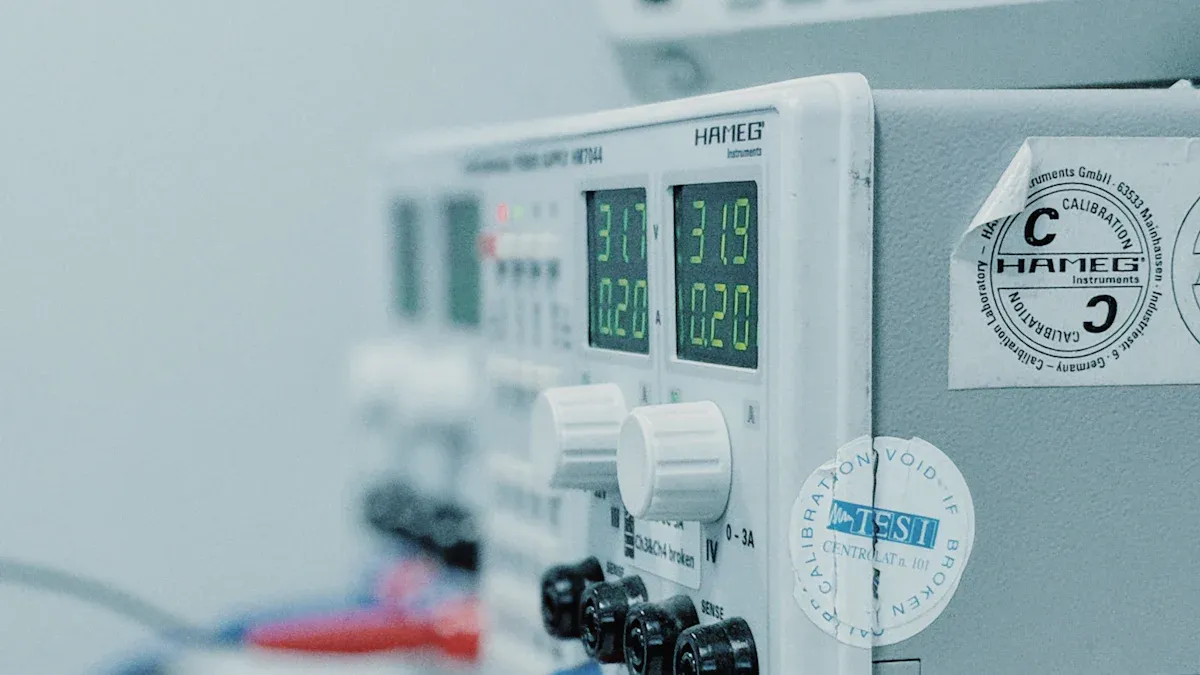
A surge protective device (SPD) limits transient overvoltages by diverting surge current. It can reduce the risk of damage to connected equipment when correctly selected and installed, but it does not guarantee protection against every lightning event. For panel-mounted products, see the AC SPD range.
Imagine plugging your phone into a wall outlet during a thunderstorm. A suitable surge protector can limit a transient overvoltage at the outlet, within its rated capability.
A surge protective device (SPD) protects your electronics from sudden voltage spikes, helping to prevent damage and extend their lifespan.
An SPD limits transient overvoltages; it does not replace grounding, overcurrent protection or an RCD/GFCI for electric-shock protection.
Select Type 1, Type 2 and Type 3 SPDs according to the installation position, lightning exposure, coordination needs and local rules. Type 3 devices supplement upstream protection for sensitive loads.
Inspect the SPD status indicator and follow the manufacturer’s maintenance guidance; replace a failed device or cartridge when its end-of-life indicator calls for it.
Using surge protection can save you money by avoiding costly repairs and downtime caused by electrical surges.

You use a surge protective device to guard your electronics and electrical systems against sudden spikes in voltage. These short-duration surges can be caused by lightning and switching events; sustained overloads and wiring faults require other protective devices. When a surge happens, the device reacts quickly and keeps your equipment safe.
Surges can also create safety hazards within industrial environments. For instance, an electrical fire could result from damaged equipment or wiring after a surge. Surge protection helps prevent such safety incidents by reducing the risk of equipment malfunction and overheating.
A surge protective device stands out from other electrical protection devices because of its unique features and components. Here is a table that shows what makes it different:
Component | Description |
|---|---|
Purpose | Protects electrical and electronic equipment from voltage spikes or surges. |
Types | Type 1, Type 2, and Type 3, each for specific applications. |
Common Characteristics | Uc: Maximum continuous operating voltage; Up: Voltage protection level; In: Nominal discharge current. See the SPD rating guide for common rating mistakes. |
Type 1 SPD | Installed at service entrance, protects against direct lightning strikes, handles high-energy surges. |
Type 2 SPD | Installed downstream, protects against secondary effects of surges, designed for smaller surges. |
You find surge protective devices in homes, offices, and factories. They work with different types of electrical systems and follow strict safety standards, such as IEC 61643-11 for power supply systems and IEC 61643-21 for data lines.
The main purpose of a surge protective device is to keep your electronics and electrical systems safe from damage. Transient overvoltages can arise from:
Nearby lightning activity
Disruptions in electrical flow
Lightning strikes
Switching of electrical loads
When you use a surge protective device, you lower the risk of:
Damage to sensitive equipment
Fires
Total equipment failures
Partial equipment failures
Intermittent equipment failures
Shortened life cycles for any electrical device
SPD performance is characterized by tested ratings such as Uc, Up, In and Imax or Iimp. Compare products using the applicable standard and the installation requirements, rather than a single response-time or voltage number. See the Electrical Installation Guide and IEC 61643-11:2025 for AC power SPDs. Here is a comparison table:
Criteria | Surge Protective Devices (SPDs) | Other Protective Measures |
|---|---|---|
Response Time | Nanosecond level | Varies, often slower |
Surge Absorption Capacity | Depends on tested discharge-current and voltage-protection ratings | Generally lower |
Impact on Signal Transmission | Minimal | Can be significant |
You see surge protective devices in many places because they protect everything from small gadgets to large industrial machines. The market for these devices keeps growing. Here is a chart showing the growth rate from different sources:

Surge protective devices must meet international safety standards. Manufacturers test and certify them to make sure they work as promised. You can trust these devices to protect your home or business and help your electronics last longer.

You rely on a surge protective device to watch over your electrical system every second. It checks the flow of electricity and looks for sudden spikes in voltage. When a surge happens, the device reacts almost instantly to protect your equipment.
Different technologies help the device detect these surges. Here is a table that shows how each technology works:
Technology | Function |
|---|---|
Metal Oxide Varistors (MOVs) | Absorb and clamp excess voltage. |
Gas Discharge Tubes (GDTs) | Use ionized gas to divert energy. |
Silicon Avalanche Diodes (SADs) | Fast-reacting components for precision protection. |
You find these components inside many surge protective devices. MOVs absorb extra voltage, GDTs use special gas to redirect energy, and SADs respond quickly to protect sensitive electronics.
The speed of response matters. Some devices react faster than others. Here is a table that compares response times:
Type of SPD | Response Time |
|---|---|
Zener diode-based | Fastest |
Gas-filled types | Relatively slow |
Fuses and MOV types | Slowest |
When you choose a surge protective device, you want one that reacts quickly. Fast response means better protection for your electronics.
After detecting a surge, the device must move the extra electricity away from your valuable equipment. You can think of it as a safety valve that opens when danger appears.
Here is how the process works:
The surge protective device senses a voltage spike and creates a low-resistance path to the ground.
The device sends the excess current safely away from your electronics.
By moving the current, the device lowers the voltage that reaches your equipment, keeping it safe.
You see different ratings for how much current each type of surge protective device can handle. Here is a table that shows typical ratings:
Type of Surge Protector | Typical Rating (kA per pole) |
|---|---|
Type 1 | 25–50 kA |
Type 2 | 20–40 kA |
Type 3 | ≤10 kA |
A higher rating means the device can handle bigger surges. You use Type 1 for main service entrances, Type 2 for branch panels, and Type 3 for point-of-use protection.
Tip: You should always check the rating before you install a surge protective device. The right rating gives you better protection for your home or business.
A surge protective device works by watching for trouble, reacting fast, and sending dangerous electricity away from your equipment. You keep your electronics safe and avoid costly repairs.
Surge protective devices come in three main types. Each type protects your home or business in a different way. You can choose the right one based on where you want protection and what equipment you need to keep safe.
Type of SPD | Installation Location | Key Feature | Nominal Discharge Current (In) | Ideal For |
|---|---|---|---|---|
Type 1 | Between service transformer and main service disconnect | Listed without requiring external OCPD | 10kA or 20kA | Whole house surge protection |
Type 2 | Load side of main service equipment OCPD | May require external OCPD | 3kA, 5kA, 10kA, or 20kA | Secondary protection in buildings |
Type 3 | Near the protected load, coordinated with upstream SPDs | Protects individual devices | Varies | Sensitive devices like computers and medical equipment |
You install a service entrance surge protective device at the main electrical panel, right where power enters your building. This device acts as the first line of defense. It stops large surges, such as those from lightning or power grid problems, before they reach your wiring and outlets. You protect your entire home or business with this type. Service-entrance SPD ratings and any required backup overcurrent protection depend on the specific device and its installation instructions.
Tip: If you want the best protection for your whole house, start with a service entrance surge protector.
You place a branch panel surge protective device at subpanels or distribution boards inside your building. This device gives you a second layer of protection. It catches any surges that get past the main panel or come from inside the building, such as from large appliances turning on and off. You use branch panel devices to protect groups of rooms or specific areas. These devices often require extra overcurrent protection and handle moderate surge currents.
You plug point-of-use surge protective devices directly into wall outlets near your sensitive electronics. These devices protect single items, such as computers, TVs, or medical equipment. Point-of-use protectors can add local protection for sensitive electronics. See our whole-house SPD vs power strip comparison for how the two approaches differ. They are effective for sensitive electronics, but you should use them as part of a complete surge protection plan for the best results.
Common devices you protect with point-of-use surge protectors include:
Television
Personal computer
Fax machine
Home automation system
Stereo equipment
Modem
Microwave oven
Alarm clock
Electronic telephone
Printer
Security system
Note: Point-of-use surge protectors help keep your electronics safe, but they work best when you also have whole-house surge protection in place.
You rely on your electronics every day. Surge protective devices help you keep these devices working by stopping sudden spikes in electricity. When you install surge protection, you lower the risk of damage to computers, televisions, and other important equipment. You avoid costly repairs and replacements.
Operational interruptions cost money. A power surge can shut down a data center, stop a factory line, or disrupt a telecom tower. You lose revenue every minute your equipment sits idle.
Many facility owners report that surge protective devices reduce downtime and equipment failure in their buildings.
Surge protection keeps your electrical systems reliable. You maintain steady operation and avoid unexpected breakdowns.
Surge protective devices protect against electrical failures, helping you keep your equipment running smoothly.
You want your home or business to be safe. Surge protective devices play a key role in protecting you from electrical hazards. These devices limit transient overvoltages. They do not provide shock protection or replace circuit breakers, RCDs/GFCIs, grounding and other required safety measures.
A site-specific assessment can compare surge exposure, equipment vulnerability and potential downtime against the installed protection cost.
Surge protective devices shield your electrical system from lightning, power switching, and faults. You keep sensitive equipment safe and improve the reliability of your electrical system.
The Surge Protective Devices Committee’s standards work helps society by increasing the reliability, uptime, and productivity of electrical equipment and systems.
You save money when you protect your electronics from surges. Businesses often lose revenue when their systems fail. Surge protective devices help you avoid these losses.
Evidence Type | Details |
|---|---|
Average Revenue Loss | Downtime costs vary by site and should be estimated from actual equipment, production and repair data. |
Cost-Saving Potential | Preventive power infrastructure, like surge protection, offers strong cost-saving potential. |
You invest in surge protection to avoid expensive repairs and lost productivity. Over time, you see real savings and keep your business running smoothly.
You want to place surge protective devices in spots that give your home or business the best protection. Start with the main electrical panel. This panel controls all the power that enters your building. You also need to look at subpanels, which supply power to different areas. Sensitive electronics, like computers and entertainment systems, need extra protection. Kitchen and laundry appliances, garage outlets, and outdoor outlets also benefit from surge protection.
Common installation locations include:
Main electrical panel
Subpanels
Areas with sensitive electronics
Kitchen and laundry appliances
Garage and outdoor outlets
Follow the electrical code edition adopted in your location and the SPD manufacturer’s instructions. Verify the device listing, system voltage, earthing arrangement, short-circuit current rating and required backup overcurrent protection before installation.
SPD installation checks | Description |
|---|---|
Definitions | Identify the SPD type and intended circuit. |
Non-permitted Usage | Check compatibility with the actual earthing arrangement. |
Listed Devices Requirements | Use a device with the required local certification. |
General Installation Guidelines | Follow manufacturer wiring and coordination instructions. |
Fault Current Requirements | Check the marked short-circuit current rating and backup protection. |
Requirements for dwelling-unit services depend on the adopted code and jurisdiction. A qualified electrician should choose the SPD type and position for the actual service equipment, grounding system and available fault current.
You keep your surge protective devices working well by following simple steps. Unplug the device before cleaning. Use a dry or slightly damp cloth to wipe away dust. Keep the device away from moisture to prevent corrosion. Test your outlet with an outlet tester to make sure it is grounded. Check the status indicator and replace a device or cartridge when the manufacturer’s instructions or end-of-life indication require it. You may want to install a whole-home surge protection system for extra security.
Tip: Regular checks and cleaning help your surge protective devices last longer and work better.
Note: Surge protectors lose effectiveness over time. Replace them as needed to keep your electronics safe.
You can protect your electronics and keep your home or business safe by using a surge protective device. These devices help prevent costly repairs, data loss, and downtime. Studies show they manage overvoltages well, but you need to install and maintain them properly for the best results.
Aspect | Details |
|---|---|
Advantages | Effective for managing transient overvoltages. |
Disadvantages | Limited protection against high-voltage surges, needs proper installation and regular checks. |
Protects your equipment from damage
Helps you avoid expensive replacements
Keeps your electrical system reliable
Consider adding surge protection to your electrical system to improve safety and extend the life of your devices.
You should protect computers, TVs, refrigerators, and gaming consoles. Surge protection also helps with routers, printers, and smart home devices. Any electronic item that costs money or stores important data benefits from surge protection.
There is no universal two- or three-year replacement interval. Follow the manufacturer’s inspection instructions and replace a failed SPD or cartridge when its status indicator shows end of life. See this SPD end-of-life guide.
You can install point-of-use surge protectors by plugging them into outlets. For whole-home or panel surge protection, you should hire a licensed electrician. Professional installation ensures safety and proper function.
Surge protective devices help protect your electronics during lightning storms. They redirect extra electricity away from your equipment. You should unplug sensitive devices during severe storms for extra safety.

